SITE UNDER CONSTRUCTION · MORE COMING SOON
Grocery List app icon

Grocery List

BY GOLDBERG APPWORKS
COMING SOON

One shared grocery list for the whole family.

Say it or type it, and it lands in the right aisle on everyone’s phone. Then shop the store in order, without the back-and-forth texts.

Android Launching on Google Play
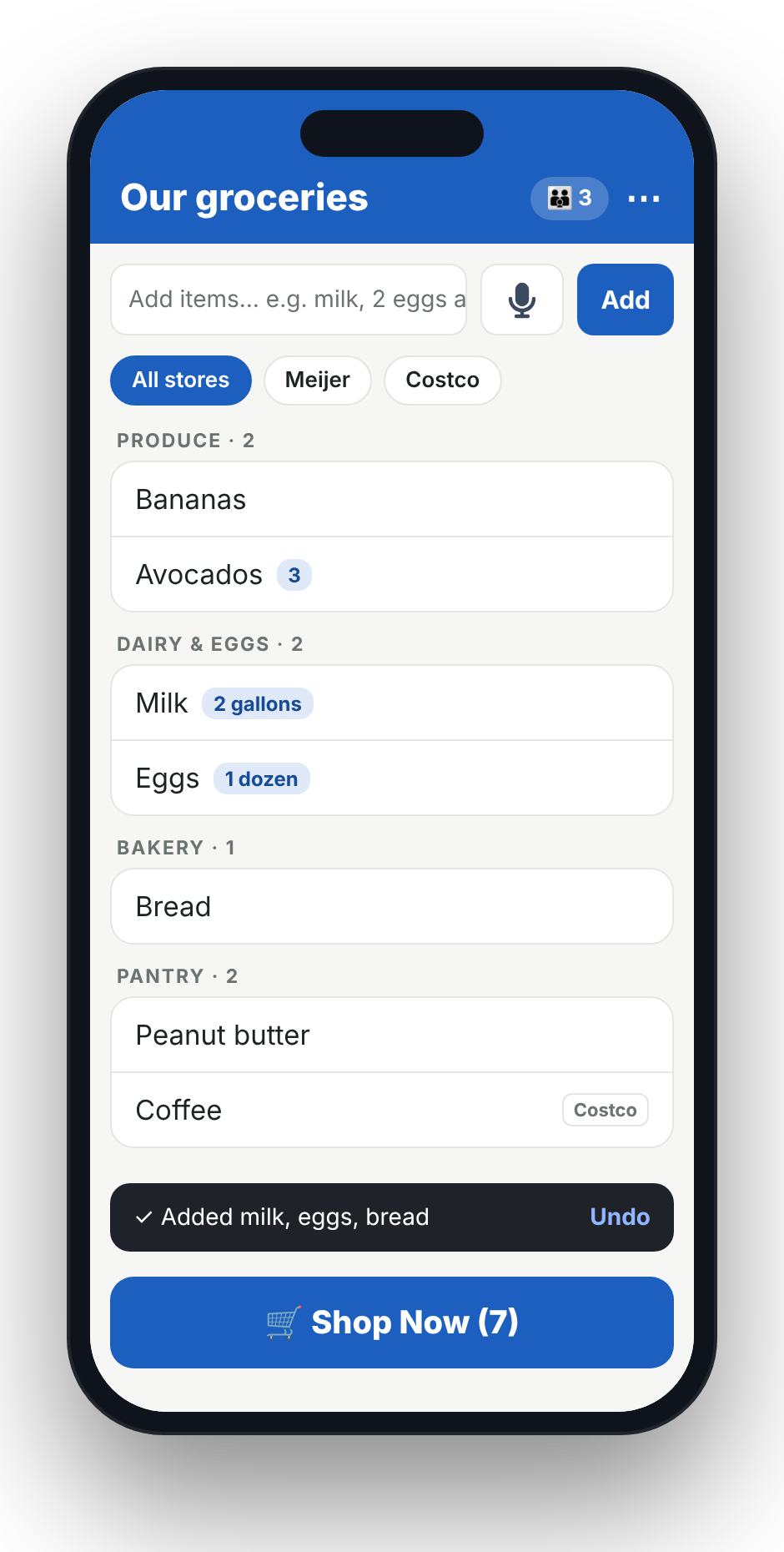
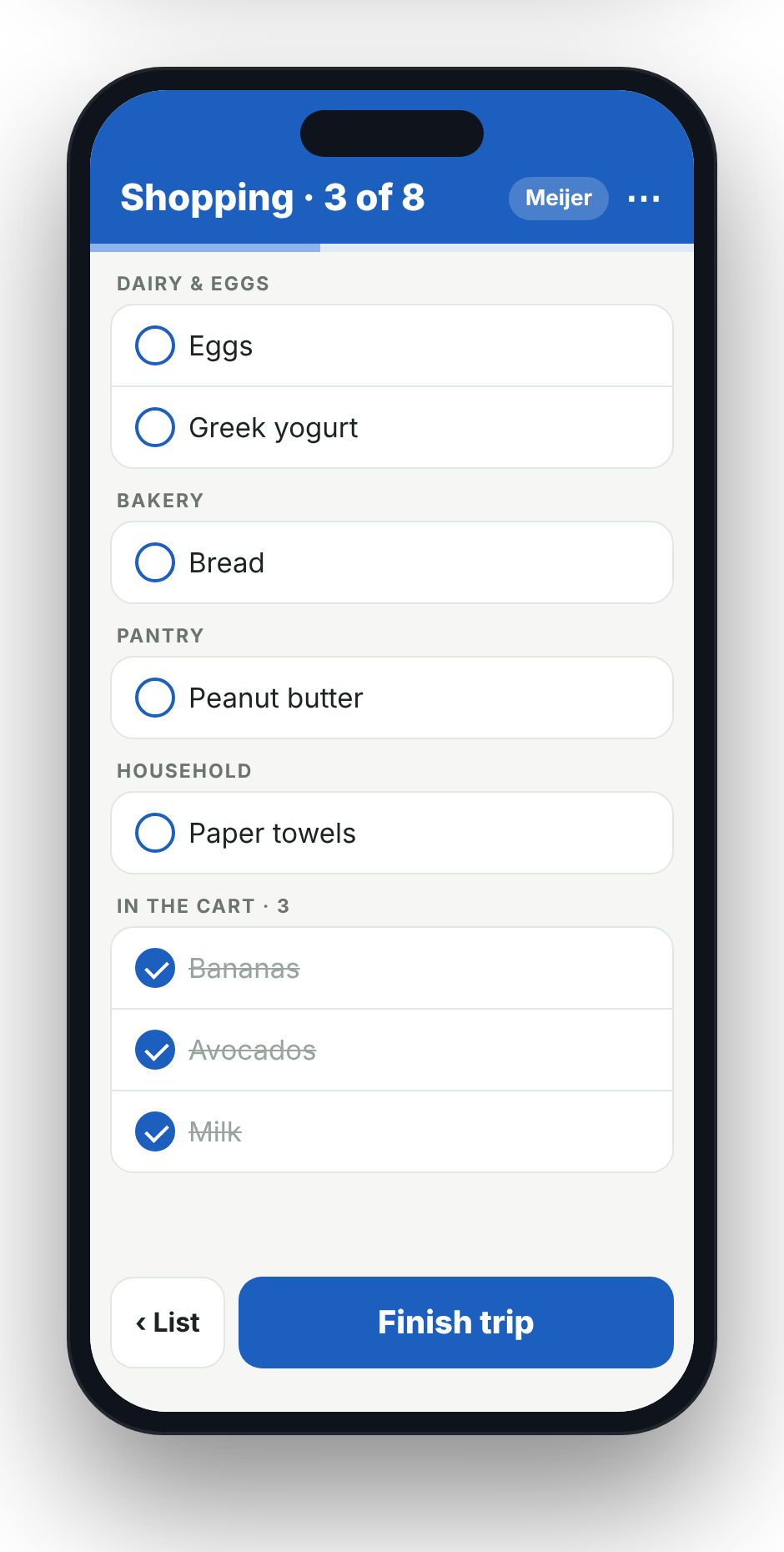
The shared grocery list, grouped by aisle Shopping mode, checking items off by aisle
HOW IT WORKS
Three steps to never forgetting the milk again.
1

Start a household

Sign in with Google or email and create your family’s list in a few seconds.

2

Invite your family

Share a 6-digit code. Everyone who joins sees the same list, live.

3

Add, then shop

Anyone adds items, any time. At the store, tap Shop Now and walk the aisles in order.

FEATURES
Built around how families actually shop.
Grocery list grouped by Produce, Dairy and Eggs, Bakery and Pantry
SMART ADD

Type it once. It sorts itself.

Add several things in one go, like 2 gallons of milk, eggs and bread. Grocery List splits them up, keeps the amounts, and files each one under the right aisle.

  • Quantities and units understood: “a dozen eggs”, “3 lbs chicken”
  • Add something twice and it adds to the amount instead of duplicating
  • Fix an item’s aisle once and it remembers next time
  • Undo right from the confirmation if you change your mind
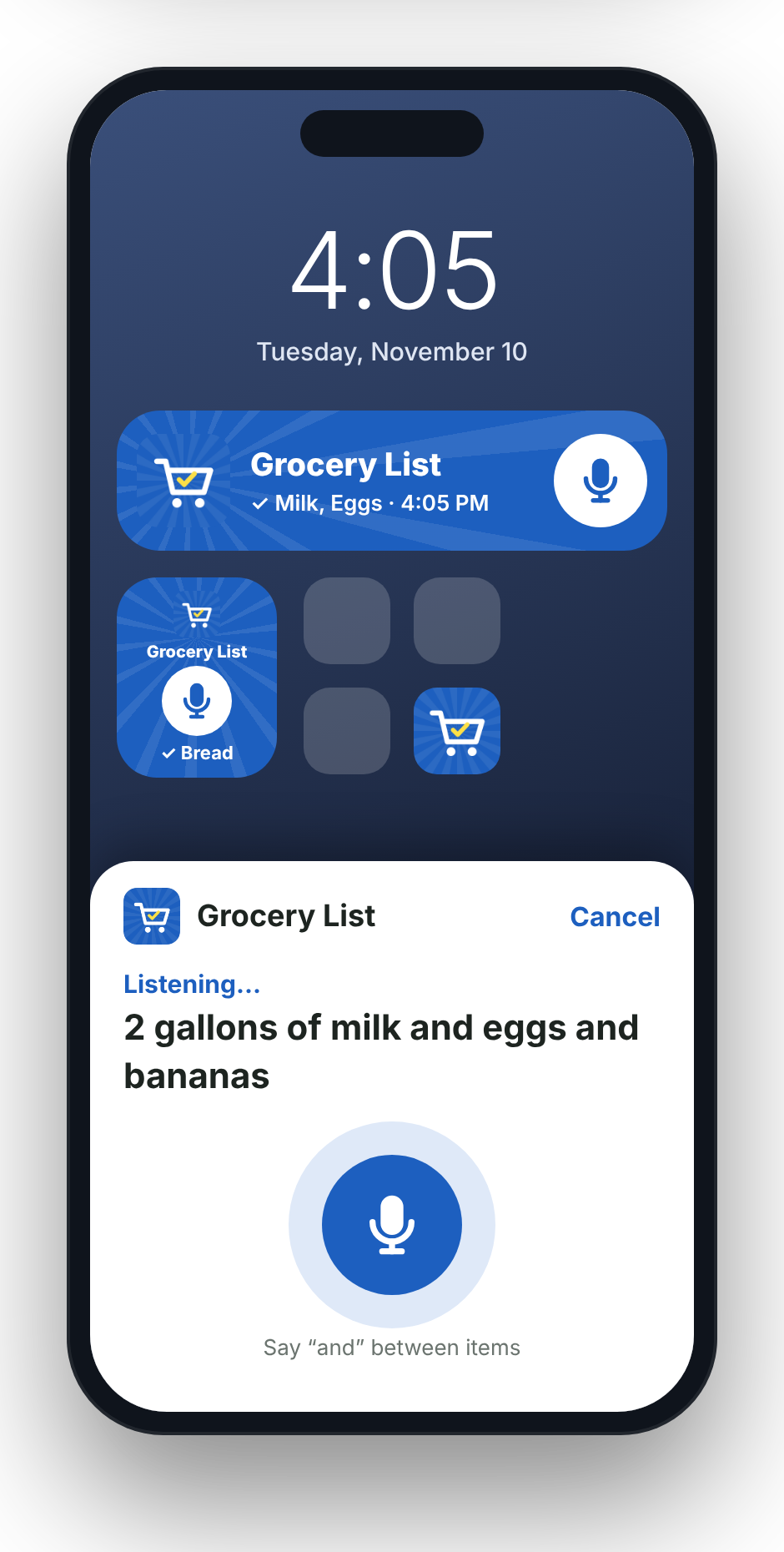
Home screen with Grocery List widgets and the voice add sheet
VOICE & WIDGETS

Add from your home screen in two seconds.

Tap the mic widget and say milk and eggs and bananas. It adds all three without ever opening the app, and the widget shows a check so you know it went in.

  • Three widgets: a one-tap mic, a mic with the last item added, and the full list
  • Say “and”, “then” or “next” between items
  • Long-press the app icon for Add item, Add by voice and Shop Now
  • Widgets match your app color and update as your family adds
Shopping mode with progress bar and items in the cart
SHOP NOW

Shop the store in aisle order.

Pick the store you’re at and the list lines up the way you walk it. Tap items as they go in the cart. When you check out, the trip is cleared and the list is ready for next time.

  • Learns each store’s aisle order from your trips, or set it by hand
  • Tag items to a store (“peanuts from Costco”) and filter by store
  • Progress bar, and the screen stays on while you shop
  • Family can keep adding while you’re in the store
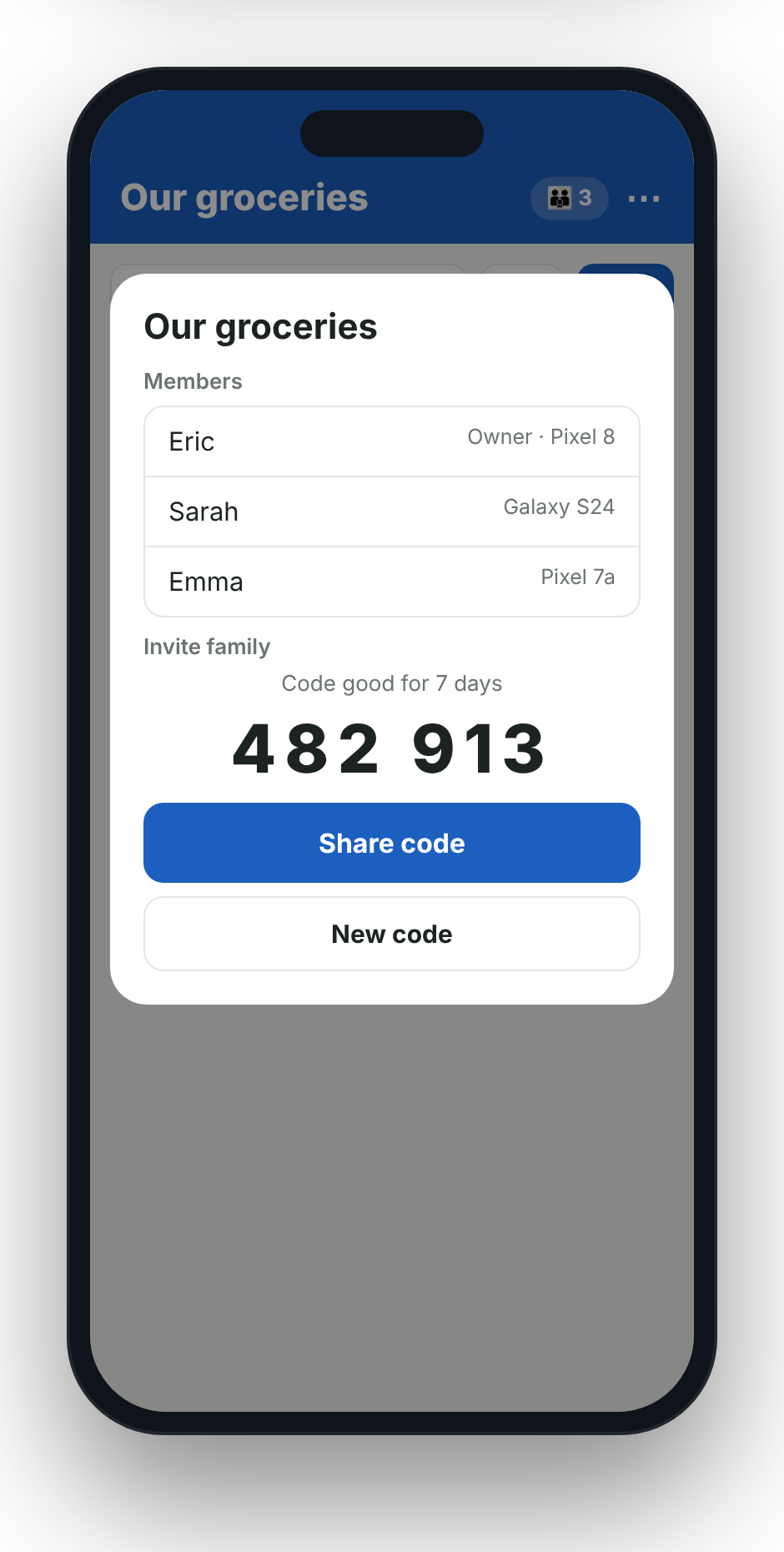
Household members and a 6-digit invite code
FAMILY SYNC

Everyone on the same list, live.

Changes appear on every phone in the household instantly. Tap any item to see who added it, from which phone, and when.

  • Invite with a 6-digit code or a link, good for 7 days
  • Works offline in the store and catches up when you’re back online
  • Full history of what was added, bought and changed
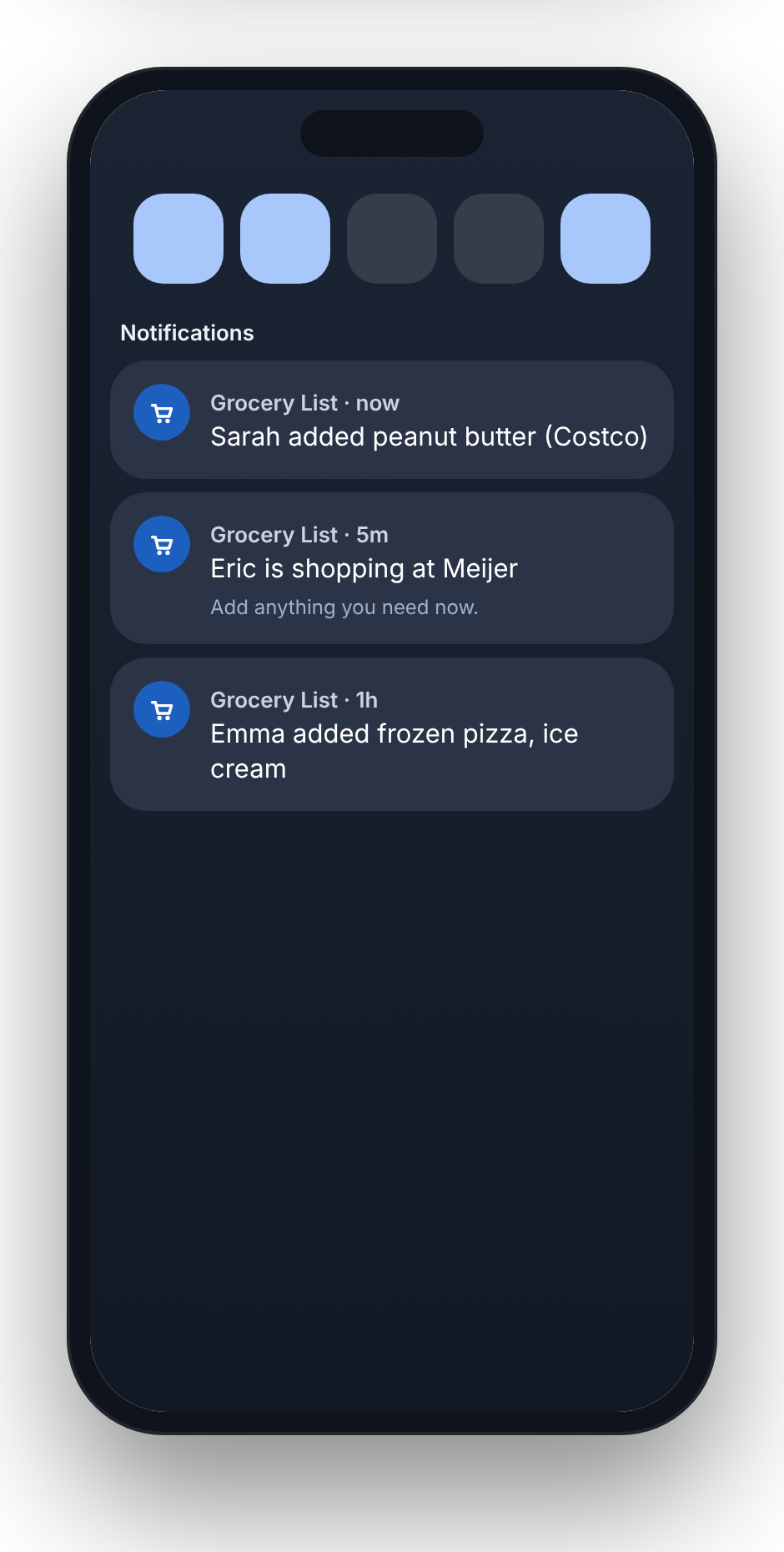
Notifications: Sarah added peanut butter, Eric is shopping at Meijer
ALERTS

Know when it’s on the list, and who’s at the store.

Get a notification when someone adds an item, checks something off, or starts a trip, so you can add what you need while they’re still there.

  • “Eric is shopping at Meijer. Add anything you need now.”
  • Turn each kind of alert on or off for your phone
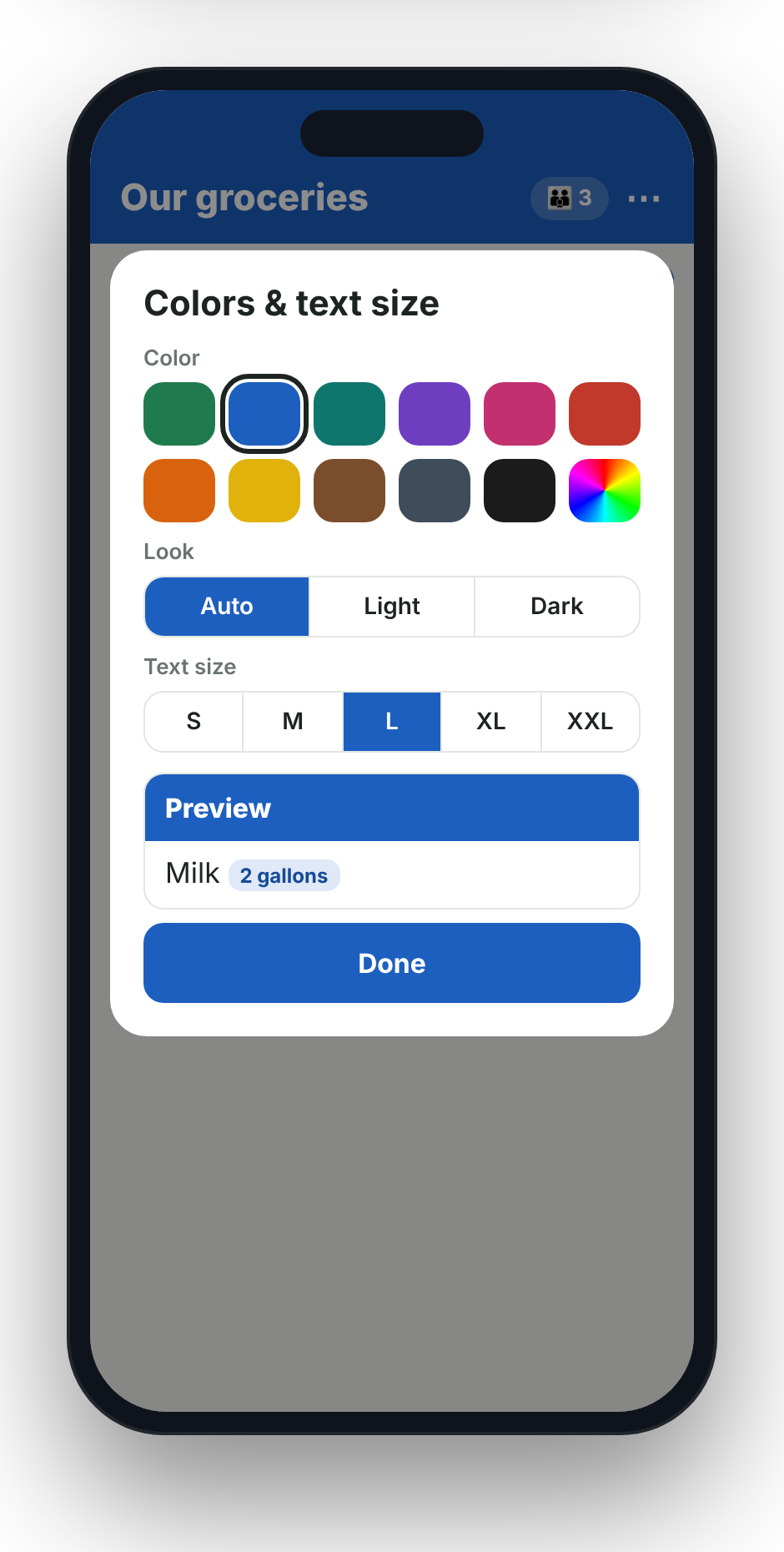
Color and text size settings
MAKE IT YOURS

Your colors. Your text size.

Choose from 11 colors or pick any color you like, use light, dark or automatic mode, and set text from small to extra large, so it’s easy to read in a busy store.

EVERYTHING INCLUDED
The full feature list
✍️

Add many at once

Commas or “and” split items; amounts and units are understood.

🎤

Voice add

In the app or straight from the home screen, without opening it.

🥕

Automatic aisles

Produce, Dairy, Bakery, Frozen, Pantry and more, sorted for you.

🧠

Remembers your fixes

Move an item to a different aisle once and it stays there.

➕

Smart duplicates

Adding milk again adds to the amount instead of a second line.

🏬

Multiple stores

Tag items to a store, filter by store, and keep each store’s layout.

🛒

Shop Now mode

Aisle-ordered checklist, progress bar and screen stay-awake.

📍

Learns store order

Each trip teaches it how you walk that store.

👪

Households

One shared list for everyone, joined with a simple code.

⚡

Live sync

Changes show up on every phone instantly.

📶

Works offline

No signal in the store? Keep going; it syncs later.

🔔

Family alerts

Added items, checked items, and “shopping now” notices.

📱

Home-screen widgets

Mic, last-added and full-list widgets in your colors.

👆

App shortcuts

Long-press the icon to add, speak or start shopping.

🕘

History

See who added or bought what, and when.

↩️

Undo

Take back an add or delete with one tap.

🎨

Colors & dark mode

11 colors plus a custom color picker, light or dark.

🔠

Text sizes

Five sizes, from small to extra large.

🔐

Simple sign-in

Google or email. Delete your account any time from the app.

💡

Built-in tips

A quick welcome shows new family members how it works.

💬

Feedback button

Tell us what’s missing right from the app.

QUESTIONS
Good to know
When can I get it?

Grocery List is in testing now with real families. It will launch on Google Play for Android first. Check back here for the release date.

Is there an iPhone version?

Android comes first. An iPhone version is planned after the Android launch.

Does everyone in my family need the app?

Everyone who wants to see or add to the list installs the app and joins your household with the 6-digit code you share.

Does it work without signal?

Yes. Your list is kept on your phone, so you can check things off in a store with no signal. Changes sync as soon as you’re back online.

What happens to my data?

Your list is shared only with the people in your household. You can leave a household or delete your account and its data from inside the app at any time.

Grocery List is coming soon.

One shared list for the whole family. Launching on Google Play.

COMING SOON