Change your voice. Drop the sounds. Run it all from your phone.
ChatterDrop is a real-time voice changer and soundboard for Windows. Talk as a dragon, a robot or a radio host, and fire air horns, rimshots and your own clips into Discord or any game with one key.
Everything you want, nothing you don't.
Built for gamers, streamers and anyone who wants to make their friends laugh, without sign-ins, subscriptions or a dozen extra programs.
Your phone is the remote
Scan a QR code and your phone or tablet becomes a big-button soundboard. No app to install.
Teammates hear every drop
Automatic push-to-talk holds your game's talk key while a sound plays, so it never gets cut off.
One key, many sounds
Random, in-order, shuffle and play-all groups. Never hear the same fail sound twice in a row.
Clip that
Press Ctrl+Alt+R to save the last few seconds of your game and chat as a brand-new drop.
All in one small app
Voice changer, soundboard, recorder, trimmer, text to speech, Stream Deck and OBS, together.
Buy once. Private for good.
No account, no subscription, no ads, no tracking. It works offline and your audio never leaves your PC.
Packed with fun. Easy from the first click.
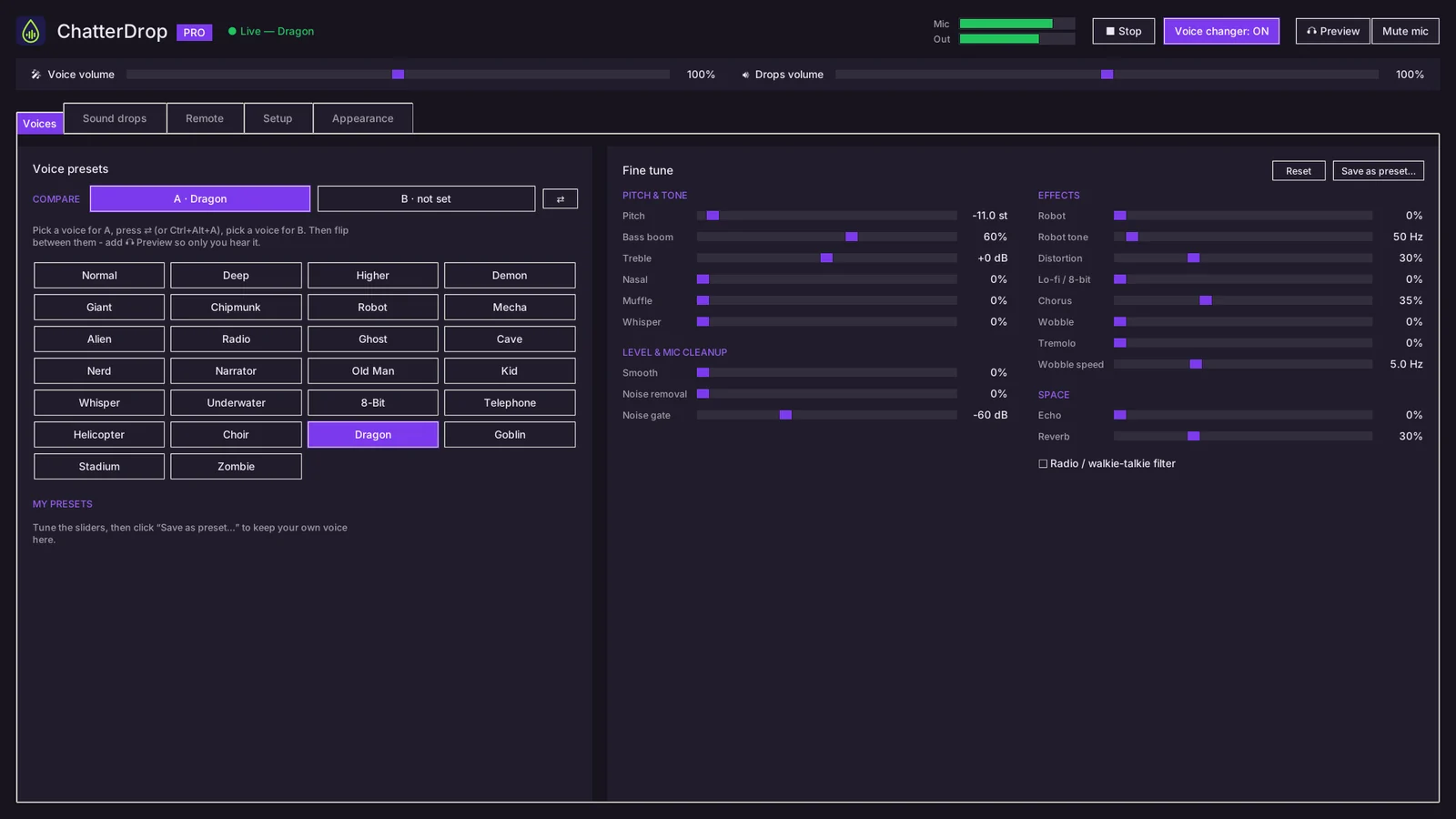
26 voices, live in any game
Pick a voice and you sound like it instantly, in Discord, Steam chat or any game that lets you choose a microphone.
- Dragon, Demon, Robot, Mecha, Ghost, Chipmunk, Narrator, Radio, 8-Bit and more
- 19 sliders to fine-tune any voice, then save it as your own
- Preview mode: try voices where only you can hear them
- A/B compare: flip between two voices with one key
- Noise removal and a noise gate keep keyboard and fan noise out
Drop any sound with one key
Put sounds on any key and play them while you're in the game. Everyone in voice chat hears them, mixed right in with your voice.
- Global hotkeys that work while your game has focus
- 44 family-friendly sounds included and ready to go
- Add your own WAV, MP3, OGG and FLAC files, or drag them in from Windows
- Even loudness, so no drop blasts anyone's ears
- Automatic push-to-talk while a drop plays, plus a stop-all key
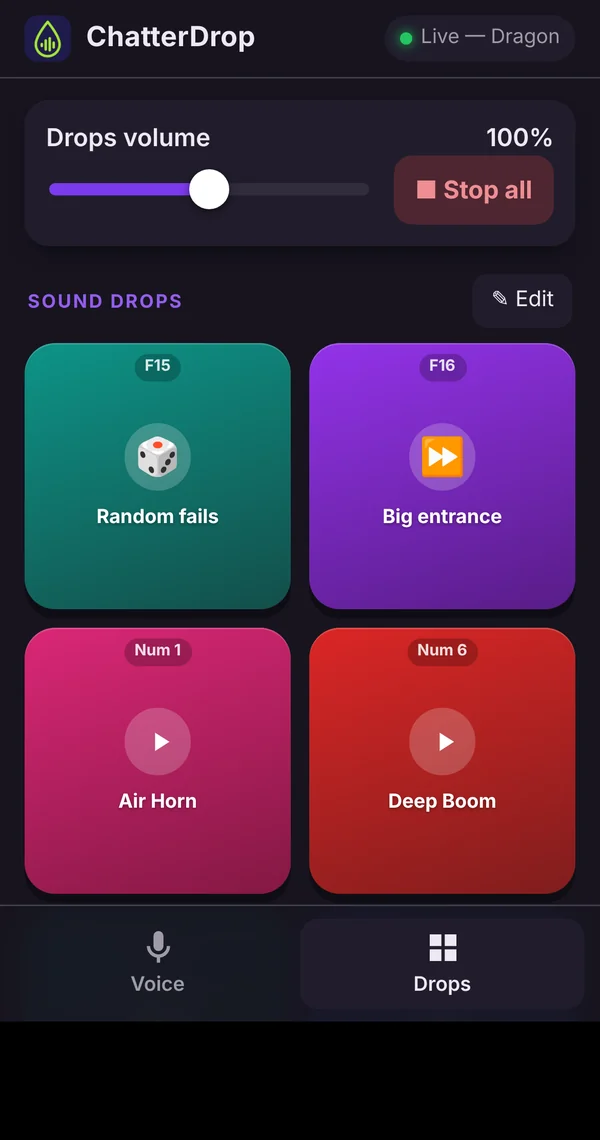
Your phone is the soundboard
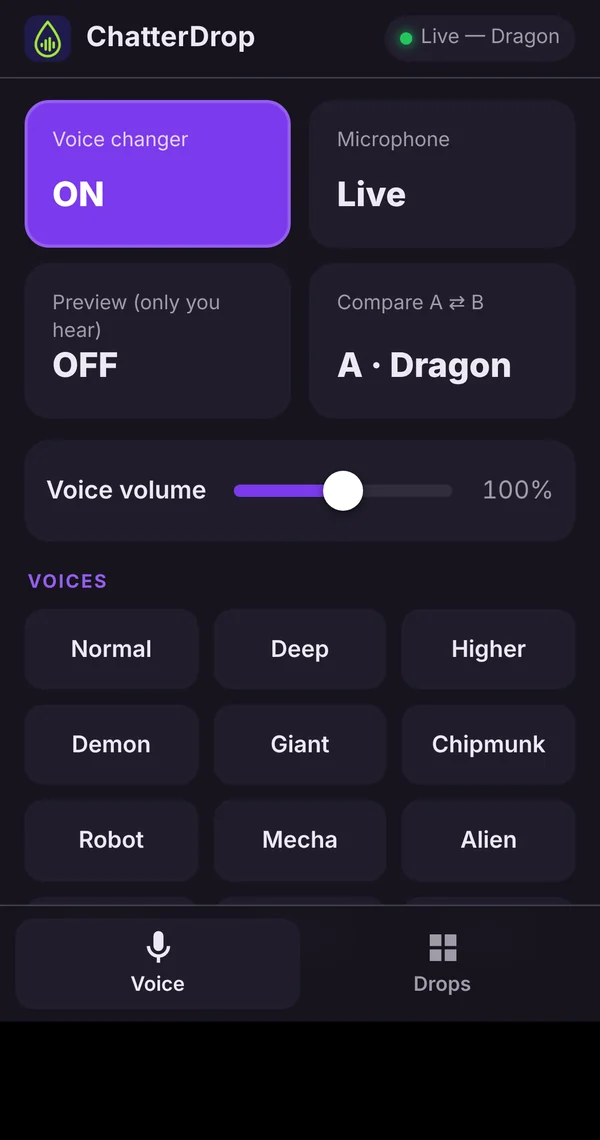
Turn on the remote, scan the QR code with your phone, and you've got a big-button pad for drops and voices. Keep it next to your keyboard and play sounds without leaving the game.
- Works in your phone's browser: nothing to install
- Runs on your own Wi-Fi and is protected by a PIN
- Switch voices, play drops, mute and stop-all from your phone
- Matches whichever ChatterDrop colour theme you pick
- Phones and tablets both work
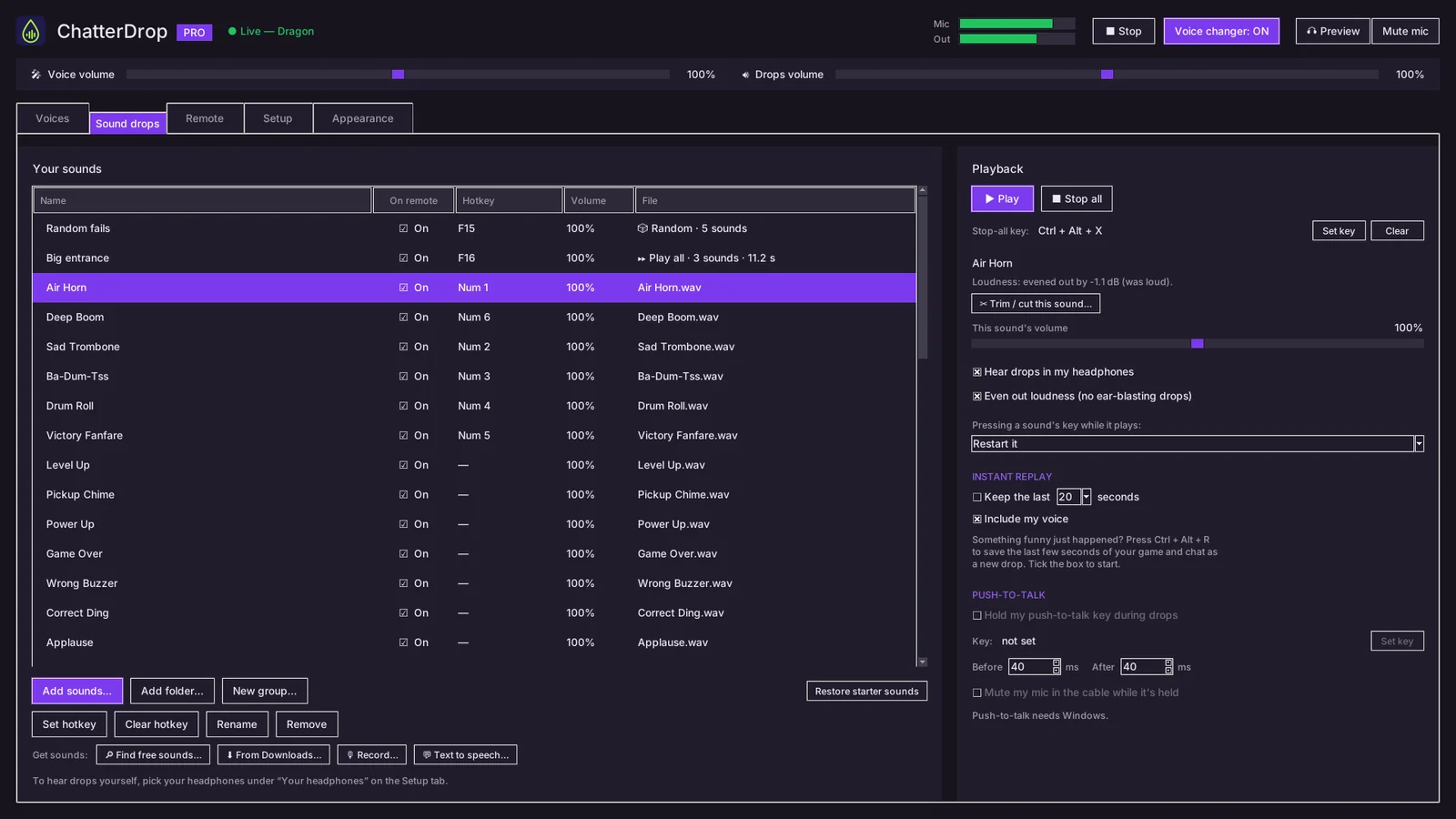
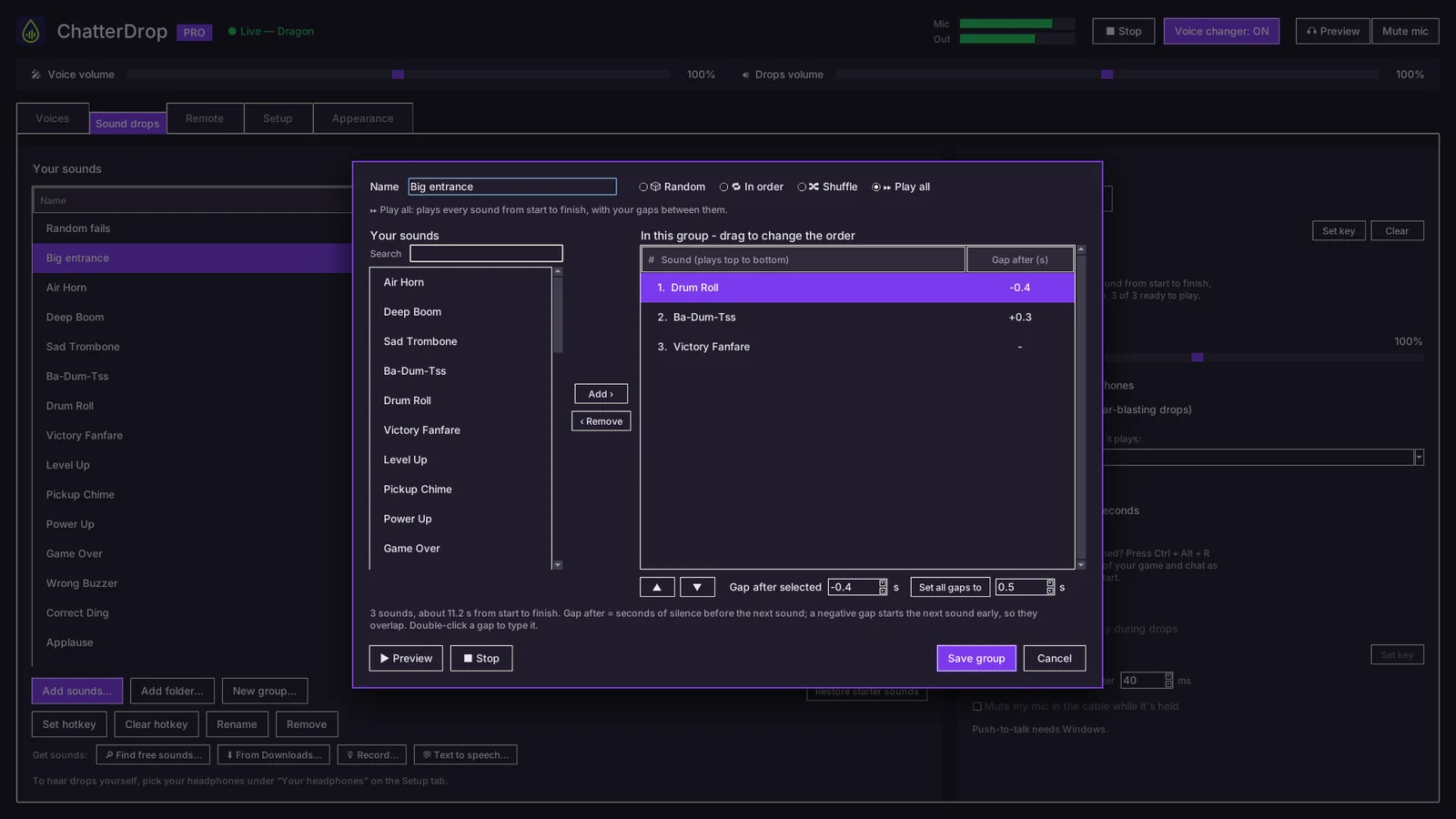
Random, shuffle, or play them all
Put several sounds on one key. Each press plays something different, or chain them into one big entrance.
- Random: a different sound every press
- In order and Shuffle: cycle through without repeats
- Play all: chain sounds with gaps, or overlaps to start the next one early
- Drag and drop to build and reorder groups
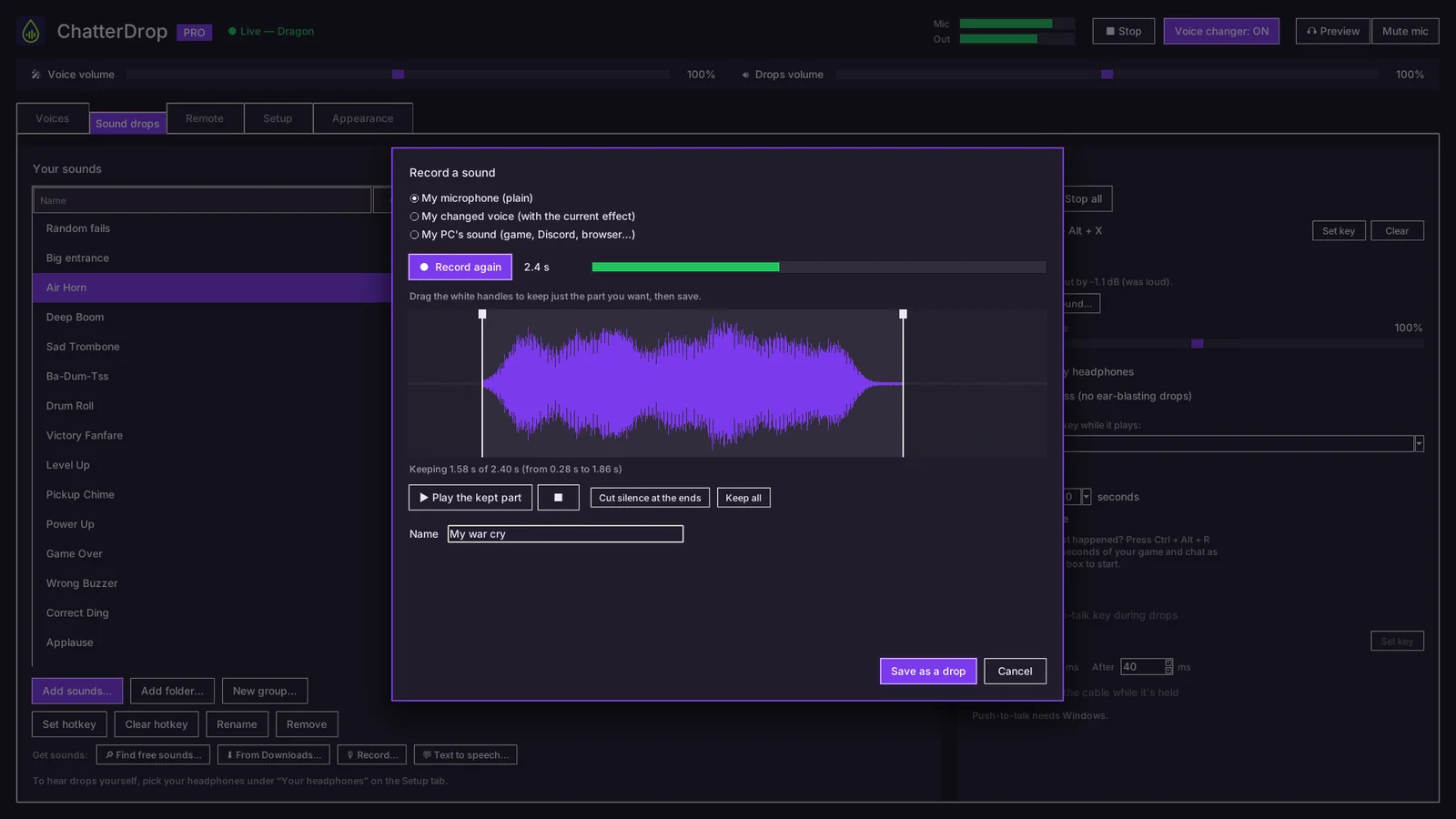
Record it. Trim it. Clip that.
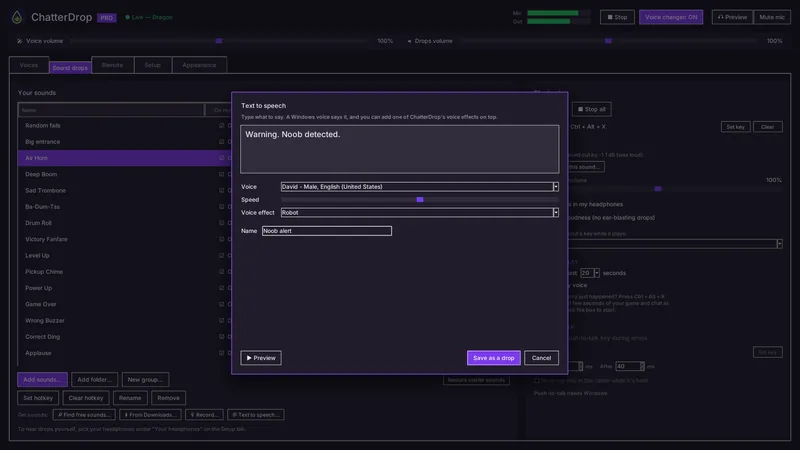
Turn anything into a drop in seconds: your voice, a moment from the game, or a line typed out for a computer voice to read.
- Record your mic, your changed voice, or your PC's sound
- Trim with drag handles; silence at the ends is cut automatically
- Instant replay: Ctrl+Alt+R saves the last 10–30 seconds as a new drop
- Text to speech with any Windows voice, plus a ChatterDrop effect on top
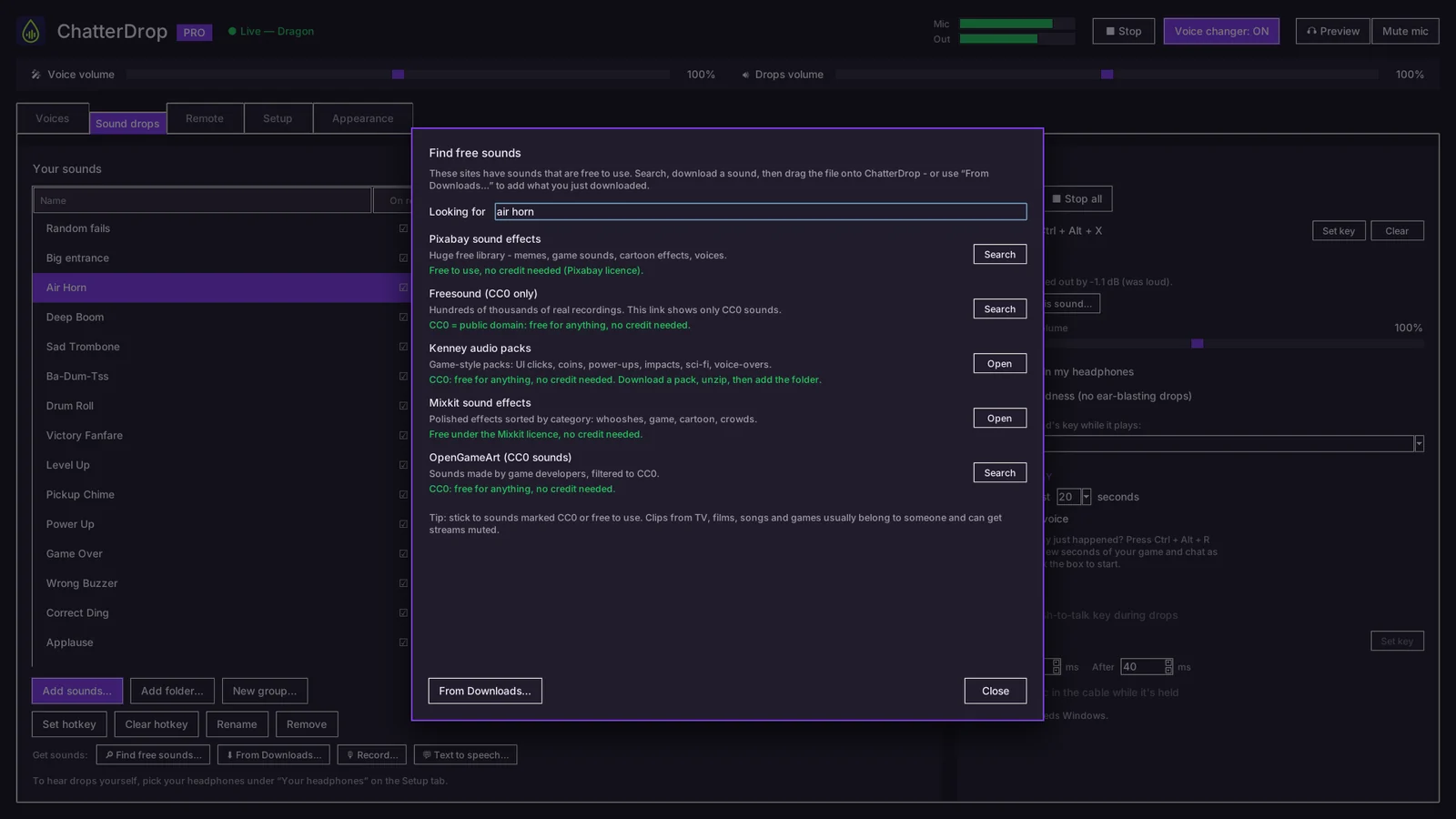
No sounds? Get them in a click
Search five free sound libraries right from ChatterDrop. Each one's licence is spelled out, so you know what's safe to use.
- Pixabay, Freesound (CC0), Kenney, Mixkit and OpenGameArt
- "From Downloads" lists the sounds you just downloaded
- Download a sound and ChatterDrop offers to add it right away
Stream Deck. OBS. Done.
ChatterDrop fits right into your streaming setup.
- Stream Deck plugin: play drops, switch voices, mute, preview, A/B and stop all
- OBS overlay shows your current voice and the drop that's playing
- Voices change automatically when you switch OBS scenes






Your colours, your size
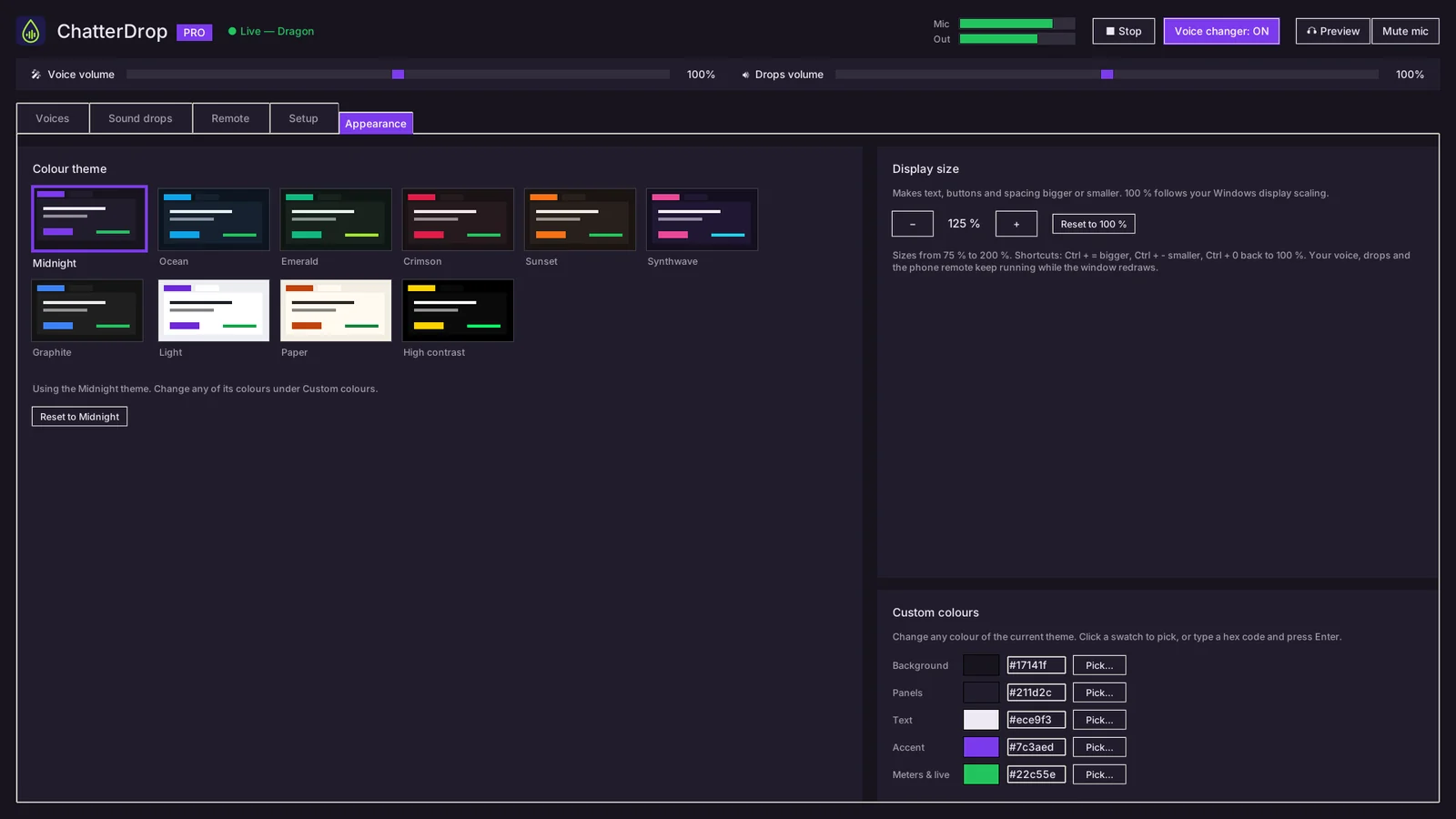
Ten colour themes, including Light and High contrast, or pick your own colours. Scale the whole app from 75% to 200% so it's easy to read on any screen.
- Midnight, Ocean, Emerald, Crimson, Sunset, Synthwave, Graphite, Light, Paper, High contrast
- Custom background, panel and accent colours
- The phone remote follows your theme
Every feature, at a glance
Voice changer
- 26 real-time voice effects
- 19 fine-tune sliders
- Save your own voices
- Preview so only you hear it
- A/B compare on one key
- Noise removal & noise gate
- Mute and voice on/off hotkeys
Soundboard
- Global hotkeys that work in-game
- 44 built-in family-friendly sounds
- WAV, MP3, OGG & FLAC
- Drag and drop from Windows
- Automatic loudness levelling
- Auto push-to-talk during drops
- Customisable stop-all key
Sound groups
- Random
- In order
- Shuffle
- Play all, with gaps or overlaps
- Drag-and-drop group editor
Make your own
- Record mic, changed voice or PC sound
- Waveform trimmer
- Instant replay (Ctrl+Alt+R)
- Text to speech + voice effects
- Find free sounds
- Add sounds from Downloads
Control & streaming
- Free phone & tablet remote
- PIN-protected, same Wi-Fi
- Stream Deck plugin
- OBS overlay
- OBS scene-to-voice switching
- System tray controls
Setup & privacy
- Installer with the virtual audio cable
- Setup wizard with a mic test
- No account, no sign-in
- Works fully offline
- No ads, no tracking
- 10 themes, custom colours, 75–200% size
See it in action
Click any screenshot to see it full size.
Up and running in three steps
Install
Run the installer. It sets up the free virtual audio cable ChatterDrop uses to talk to your games, and the setup wizard tests your mic.
Pick “CABLE Output”
In Discord or your game's voice settings, choose CABLE Output as your microphone. The wizard shows you exactly where.
Talk and drop
Pick a voice, press your hotkeys or grab your phone, and start dropping sounds. That's it.
Questions? Answers.
Does it work with Discord and my games?
Yes. ChatterDrop shows up as a microphone called CABLE Output. Anything that lets you choose a microphone can use it: Discord, Steam voice chat, Zoom, and most games with voice chat.
Can I get banned for using it?
ChatterDrop doesn't touch your games' files or memory; to a game it's just another microphone. Some games and communities have their own rules about soundboards in voice chat, so check those and be kind to your teammates.
Do I need an account or an internet connection?
No. There's no sign-in, and ChatterDrop works completely offline. Your voice and sounds never leave your PC.
Does the phone remote need an app?
No. It runs in your phone's web browser. Your phone and PC need to be on the same Wi-Fi, and the remote is protected by a PIN that ChatterDrop shows you.
What is VB-CABLE?
VB-CABLE is a free virtual audio cable made by VB-Audio. It's how ChatterDrop's voice and sounds reach your games. The installer sets it up for you. VB-CABLE is donationware: if you find it useful, you can support VB-Audio at vb-cable.com.
Is there a Mac version?
Not yet. ChatterDrop runs on Windows 10 and Windows 11 (64-bit).
How much will it cost?
ChatterDrop will be a one-time purchase, with no subscription. Pricing will be announced closer to launch. Wishlist it on Steam to hear about it first.
What do I need to run it?
A Windows 10 or 11 64-bit PC and a microphone or headset. A Stream Deck and OBS are optional.
Ready to make some noise?
ChatterDrop is coming soon to Steam. Add it to your wishlist and Steam will let you know the moment it launches.
Wishlist on SteamMore from Goldberg AppWorks